Keep Every Asset, Certificate and Service Record Under Control
Asset records become unreliable when certificates, inspections, photos and responsibility are split across folders, spreadsheets and messages.
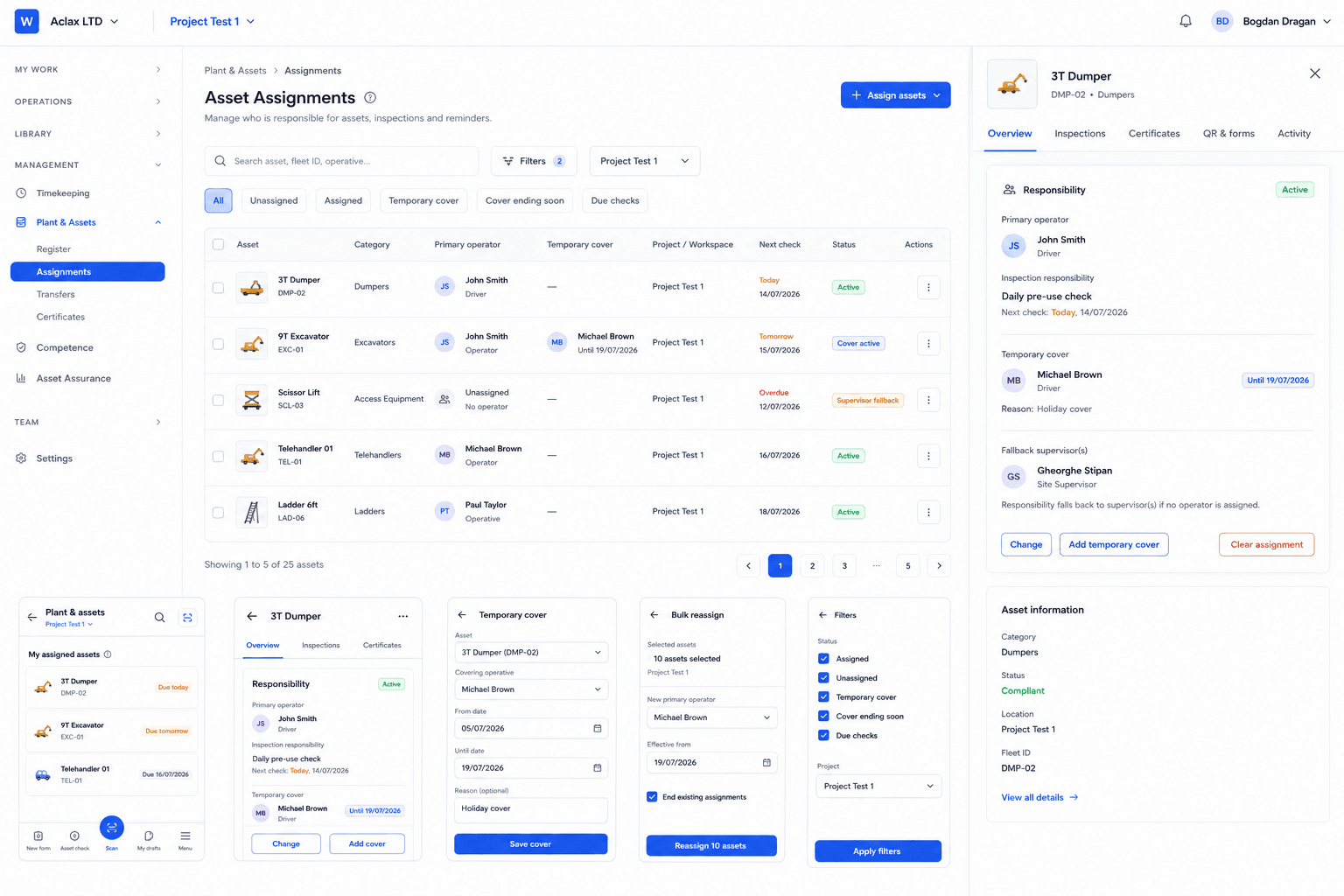
DutyStack gives each asset a central record with its documents, responsible people, checks, defects, status history and evidence links in one place.
Main features
Practical controls for teams that need records they can use during the work and share afterwards.
- Organisation and project asset registers
- Assigned responsible people
- Certificates and supporting documents
- Inspection and assurance history
- Defect records with evidence
- Return-to-service history
- QR identification for quick access
- Evidence sharing for clients and auditors
How the workflow works
- 1
Create or import the asset record.
- 2
Assign responsibility, certificates and supporting documents.
- 3
Record checks, defects and changes in status over time.
- 4
Share selected asset evidence when a client or auditor asks for proof.
Connected DutyStack records
This product area works best when it connects to the surrounding operational record.
- Asset inspections
- Evidence packs
- Document control
- QR inspections
Related product areas
Asset Inspections
DutyStack links checks, reminders, safe-to-use status, responsible people and return-to-service records to the asset history.
Explore Asset InspectionsQR Inspections
DutyStack QR codes support inspections and metadata-only verification without exposing private documents, signatures or personal information.
Explore QR InspectionsEvidence Packs
DutyStack lets you select relevant records and share them through controlled, read-only evidence packs with access boundaries.
Explore Evidence PacksRelevant industries
Asset Management FAQ
Can DutyStack store certificates and asset documents?
Yes. Asset records can carry certificates, documents and supporting evidence so the asset history is easier to verify.
Can asset records be shared externally?
Selected records can be added to controlled evidence packs or shared through approved read-only access where enabled.
Can assets use QR codes?
Yes. Asset QR codes can support quick identification, checks and approved metadata verification workflows.
See how Asset Management fits your real team and records.
Start free, compare plans or book an optional practical demonstration.